
Qt/QML Development with C++ for Embedded HMIs
Modern user interfaces and robust C++ architectures with Qt 6, QML and Qt Quick – for embedded systems, industrial applications and cross-platform software in Germany.
Qt/QML with C++ – architecture that lasts
Qt and QML enable modern, high-performance user interfaces – the key is a clean connection to C++: UI in QML, logic and performance-critical parts in C++. BitPointer brings more than 20 years of C++ project experience and long-standing Qt/QML expertise from industrial and medical embedded projects – nationwide for manufacturers and mid-sized companies.
Why Qt/QML?
Qt is one of the most mature cross-platform frameworks for C++ applications. Qt Quick and QML extend it with a modern, declarative UI system that enables GPU-accelerated rendering, smooth animations and a clear designer–developer separation. That makes Qt/QML especially suited to:
Embedded and industrial systems
Touch HMIs, operator panels, device controls – on ARM boards, i.MX platforms and embedded Linux systems.
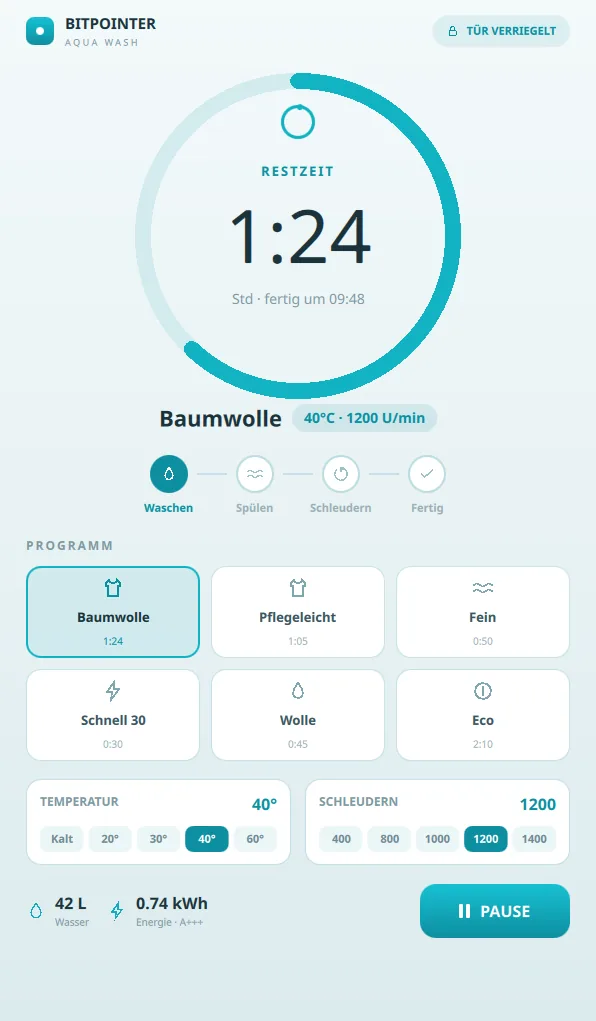
Household appliances and white goods
Connected devices with touch operation, Wi-Fi connectivity and demanding user interfaces.
Medical technology and lab equipment
Precise user interfaces in regulated environments, with traceable architecture and high test coverage.
Cross-platform applications
One codebase for Linux, Windows, macOS and embedded targets – without platform-specific overhead.
Modern desktop applications
Professional GUI software with smooth transitions, responsive layout and high usability standards.
Robotics and automation systems
Control and visualisation interfaces for test rigs, robot controllers and automation systems.
Qt Quick in practice
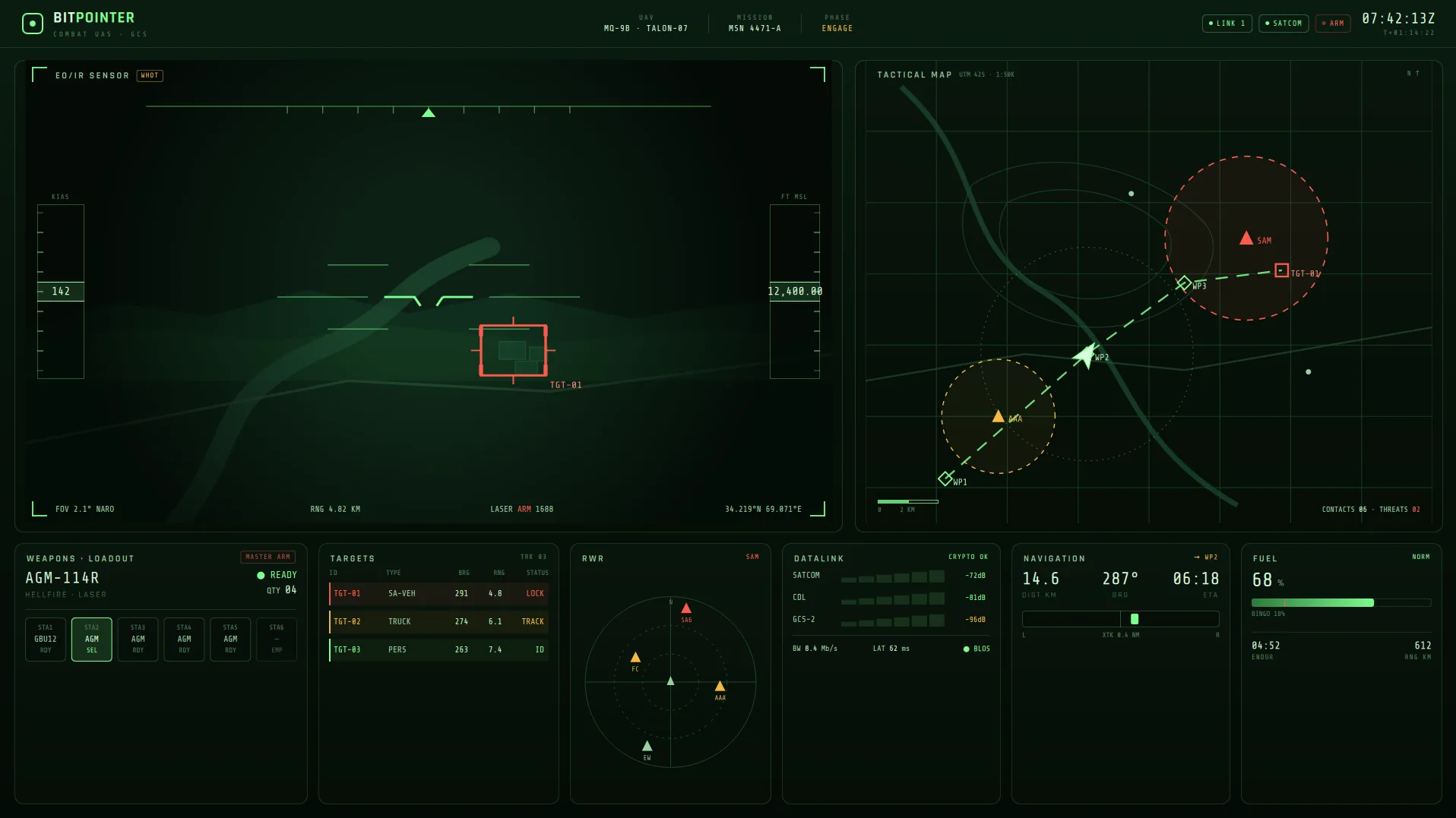
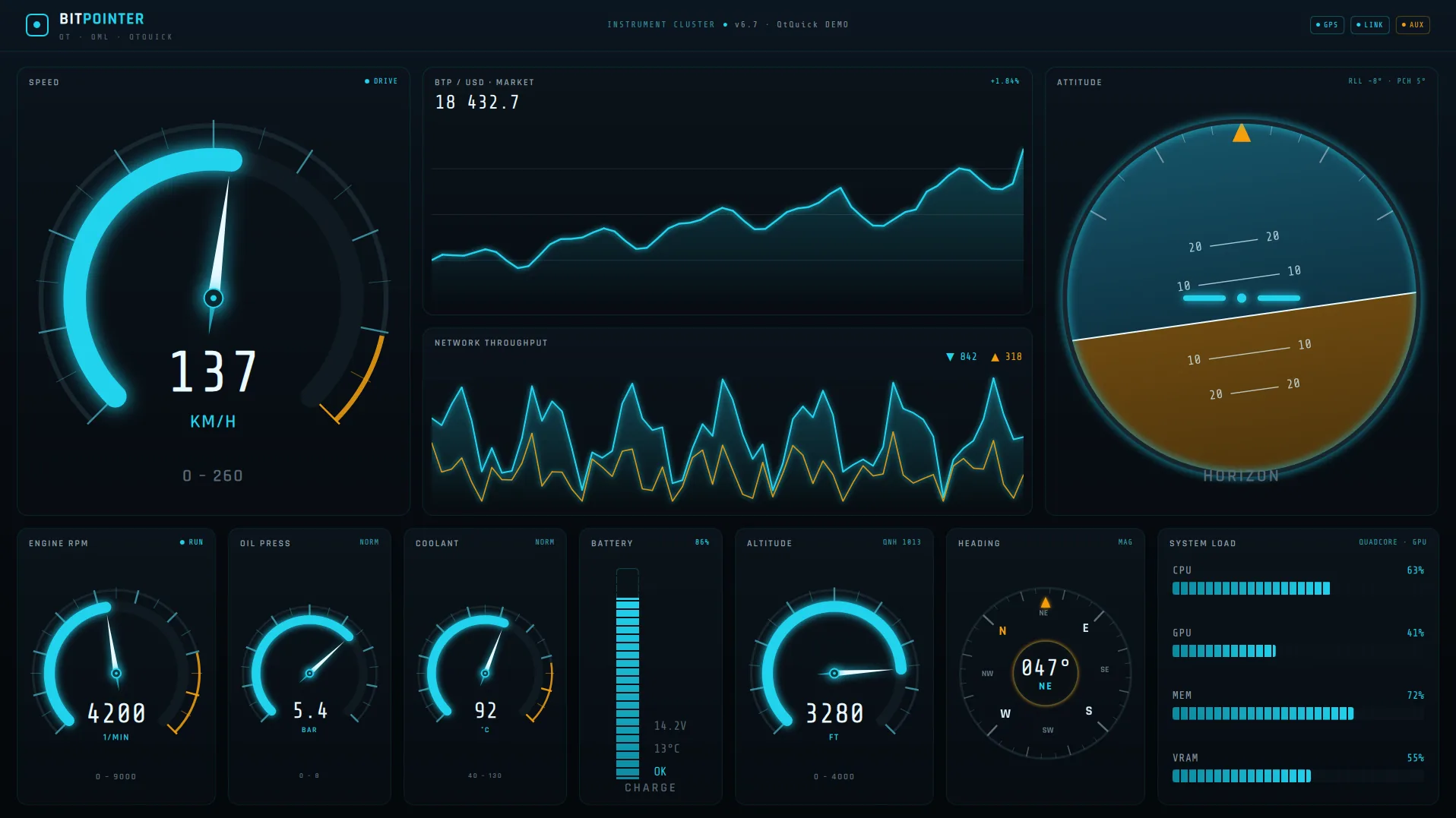
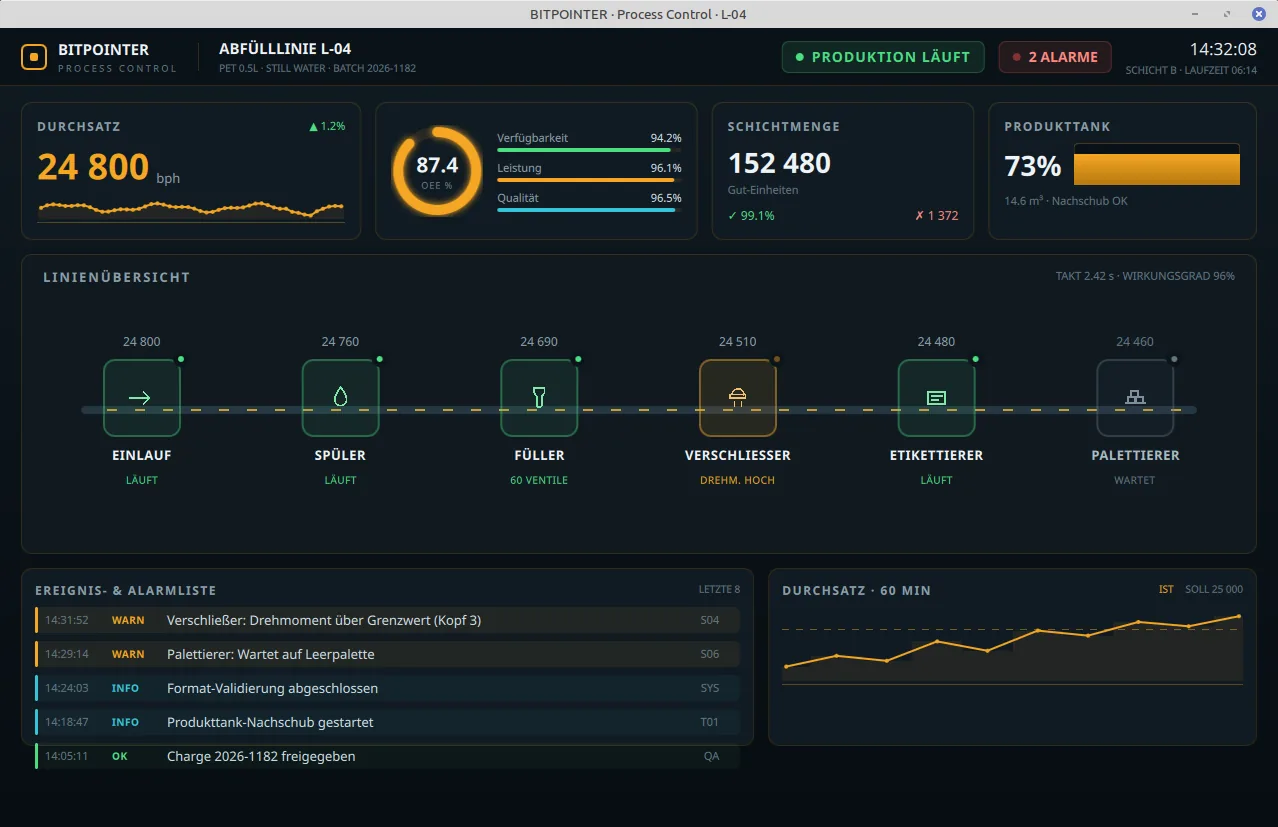
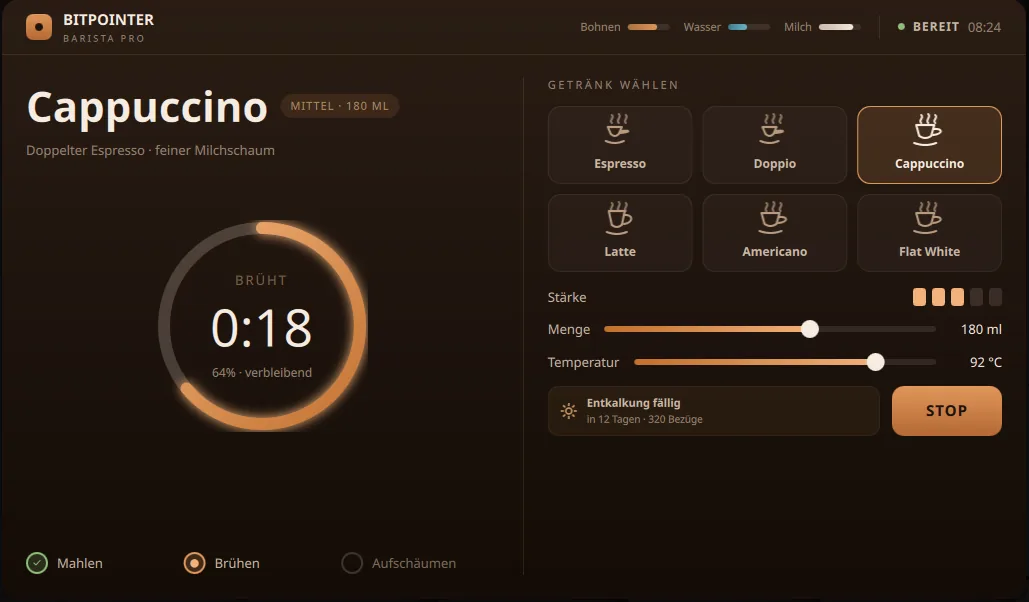
High-performance real-time HMIs, developed with Qt 6, QML and Qt Quick – GPU-accelerated, smoothly animated, architecturally clean.
Qt, Qt Quick and QML at a glance
The three terms are often used interchangeably, but describe different layers of the framework. This distinction matters for clean architecture decisions:
| Term | What it is | What it is used for | Typical role |
|---|---|---|---|
| Qt | C++ framework and platform | Networking, databases, file system, concurrency, event system, build system | Foundation of all Qt applications |
| Qt Quick | UI framework for modern, GPU-accelerated interfaces | Rendering, animations, touch interaction, scene graph | The rendering system behind QML interfaces |
| QML | Declarative description language for user interfaces | Layout, states, transitions, component structure | The language in which UI elements are described |
| JavaScript in QML | Embedded scripting language | Simple UI-near interactions, formatting, visibility logic | Only for small, UI-specific tasks – no business logic |
Benefits of Qt/QML
Cross-platform without compromise
One codebase runs on Embedded Linux, Windows, macOS and other targets. Qt handles platform abstraction without sacrificing native performance.
Modern HMI interfaces
Qt Quick uses OpenGL, Vulkan or Metal for GPU-accelerated rendering. Smooth animations, pixel-perfect presentation and responsive layouts – even on resource-constrained hardware.
Fast UI iteration
QML enables fast UI changes without a full recompile. Designers and developers can work in parallel because UI description and C++ logic are clearly separated.
Strong C++ integration
Qt binds C++ classes directly into QML. Business logic, data models and system access stay in C++, while QML handles presentation only.
Reusable components
QML components can be built modularly and reused across projects. That reduces effort for new screens and accelerates further development.
Proven in regulated environments
Qt is used in medical devices, lab equipment and industrial controls where stability, long-term availability and certifiability matter.
Typical risks in Qt/QML projects
Qt/QML projects often run into problems when early prototypes become production systems without adapting the architecture. The following patterns typically lead to maintenance issues and performance losses:
Logic problems
- Too much business logic in QML or JavaScript
- JavaScript code grows from prototypes into production systems
- Complex calculations on the UI thread
- Data storage directly in QML objects
- Security-relevant logic in QML/JavaScript
Architecture and performance problems
- Blocking I/O on the UI thread
- Uncontrolled property bindings
- Oversized, monolithic QML files
- Singleton misuse as a global data store
- Poor testability due to missing C++ interfaces
Our architecture principles
A Qt/QML application is maintainable and scalable when responsibilities are clearly assigned. QML and C++ have different strengths – a good architecture uses both deliberately:
QML is responsible for
- Presentation and layout of UI elements
- States and state transitions (States, Transitions)
- Animations and visual effects
- Binding to properties and models from C++
- Simple UI-near reactions to user interaction
C++ is responsible for
- Business logic and business rules
- Data models (QAbstractListModel, QObject-based ViewModels)
- Services, persistence, network communication
- Hardware access and interfaces (UART, CAN, MQTT)
- Threading and compute-intensive operations
Architecture layers at a glance
Data storage and data models
A common mistake in Qt/QML projects is storing data directly in QML objects. That may be practical for prototypes, but leads to problems with performance, testability and maintainability. Our recommendation:
Provide data models in C++
QAbstractListModel, QAbstractTableModel and QObject-based ViewModels deliver structured data to QML. QML binds to properties and models, but contains no domain data logic. That enables unit tests at the C++ level without UI dependency.
Properties and signals as the interface
Q_PROPERTY with a notify signal is the clean interface between C++ and QML. Property bindings in QML react automatically to changes from C++. No deep direct calls into the C++ model from QML.
Logic distribution between QML and C++
When may logic stay in QML?
- Visibility of UI elements (e.g.
visible: width > 300) - Simple UI states (expanded / collapsed)
- Animations and visual transitions
- Display formatting (date format, unit formatting)
- UI-near reactions to user interaction that do not make business decisions
When does logic belong in C++?
- Business rules and validation
- Calculations and data processing
- Database access and persistence
- Network communication (REST, MQTT, sockets)
- Hardware communication (UART, CAN, I²C, SPI)
- Threading and asynchronous processing
- Security-relevant decisions
Our Qt/QML services
Development
- Qt/QML greenfield development for embedded and desktop systems
- Embedded HMI development with Qt Quick on Embedded Linux
- C++ backend integration and QML/C++ interface design
- Yocto and Embedded Linux integration
Analysis and consulting
- Architecture consulting for Qt/QML projects
- Code reviews focused on architecture, testability and performance
- Performance analysis with Qt Profiler and flamegraph analysis
- Analysis of existing QML structures and C++ interfaces
Modernisation
- Refactoring existing QML applications
- Migration from Qt Widgets to Qt Quick/QML
- Migration from Qt 4/5 to Qt 6
- Takeover and further development of existing Qt/QML projects
Quality and CI/CD
- Test concepts for Qt/QML: GTest, Catch2, Qt Test
- Automated UI tests with Squish
- CI/CD pipelines for Qt projects (CMake, Jenkins, Docker)
- Build systems and package management (CMake, Conan, JFrog Artifactory)
Related services
FAQ
Common questions about Qt/QML development
Planning or analysing a Qt/QML project?
Tell us about your plans – whether greenfield development, refactoring or architecture consulting. We assess the starting point and recommend the right approach.